Backup EnterWorks Folders by Script
The BackupForDeployment.bat script backs up system folders to<drive>:\Backup. The reason the folders are copied there is so they will not be found during routine searches of the <drive>:\Enterworks folder.
-
Enable2020
-
<drive>:\Enterworks\bin.
-
EnableServer:
-
<drive>:\Enterworks\lib
-
-
<drive>:\Enterworks\EPX\bin
-
<drive>:\Enterworks\EPX\lib
-
<drive>:\Enterworks\EPX\jboss
-
<drive>:\Enterworks\EPX\bin\tomcat
-
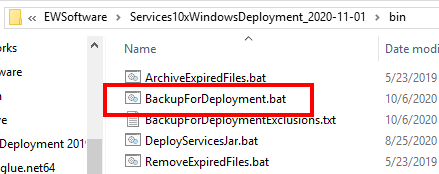
Where to find the BackupForDeployment.bat Script
The BackupForDeployment.bat script should already have been installed in the folder:
<drive>:\Enterworks\bin
by the Services Framework deployment script. If it is not there, then the script can be run from the folder:
<drive>:\EWSoftware\<servicesFrameworkDeploymentFolder>\bin
where <servicesFrameworkDeploymentFolder> is the specific version of the Services Framework deployment that has been unzipped in the folder:
<drive>:\Enterworks\bin
For example:
D:\EWSoftware\Services10xWindowsDeployment_2020-11-01

Copyright 2007, 2023 Precisely