Settings for Manual Configuration of Specific IDPs
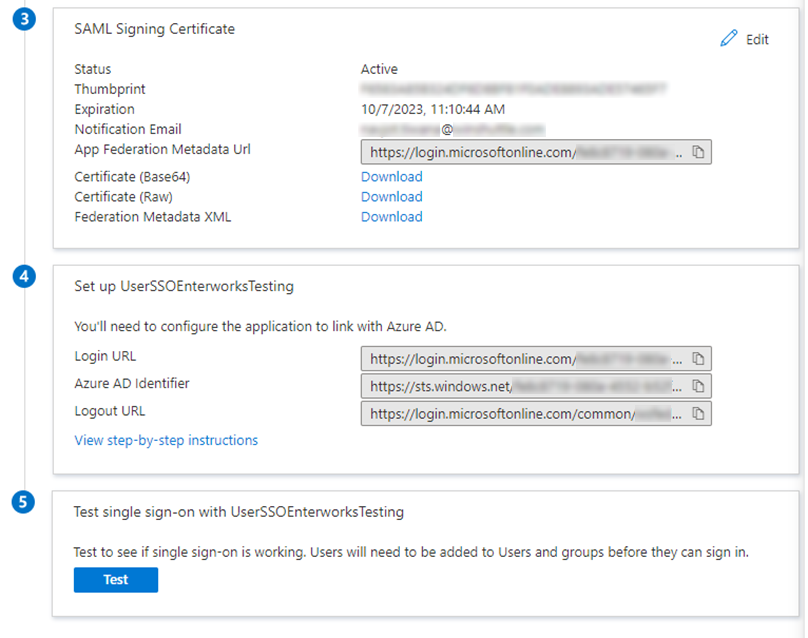
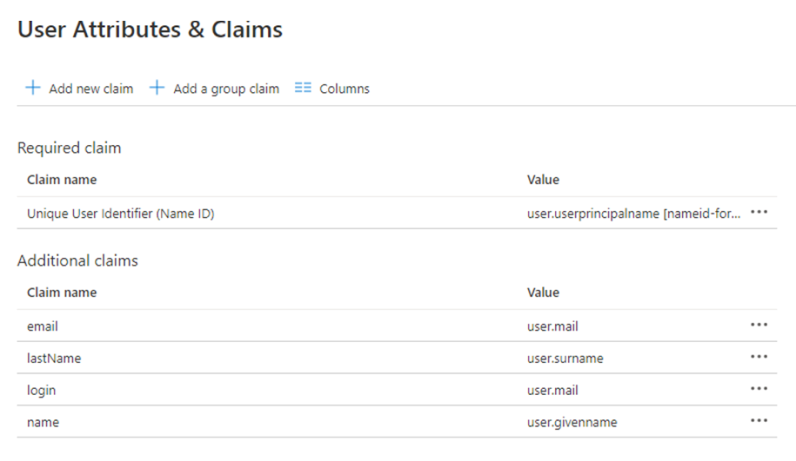
Some IDPs require that you use information in the metadata files to configure the IDP manually. Below are settings for configuring Azure AD manually.
Azure AD Manual Configuration Settings
To configure EnterWorks for Azure AD SSO SAML, you must configure Azure to work with both the Classic and New UIs.
Configuration of Azure AD SAML for the EnterWorks Classic UI
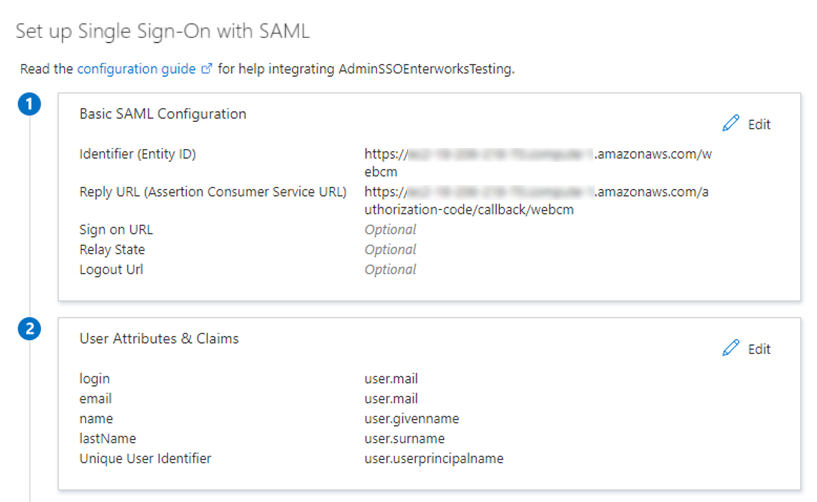
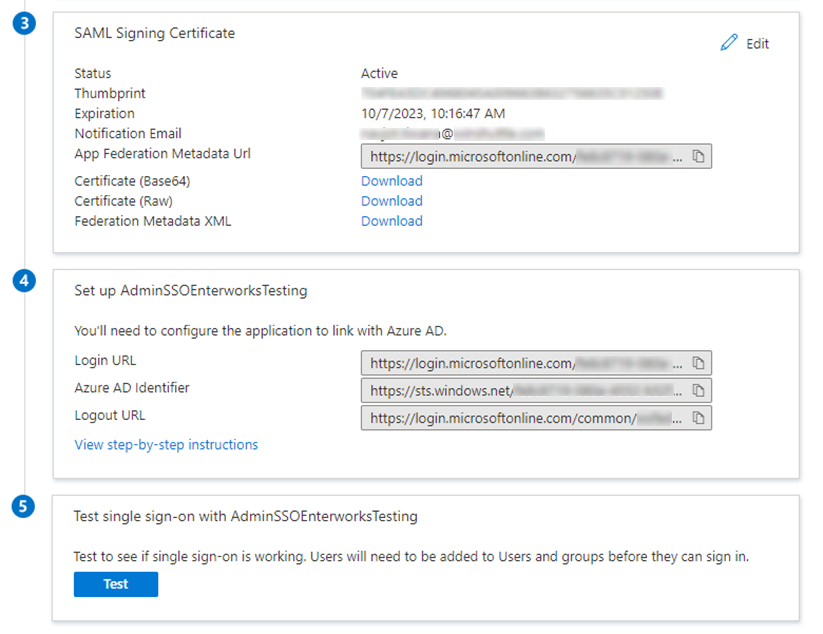
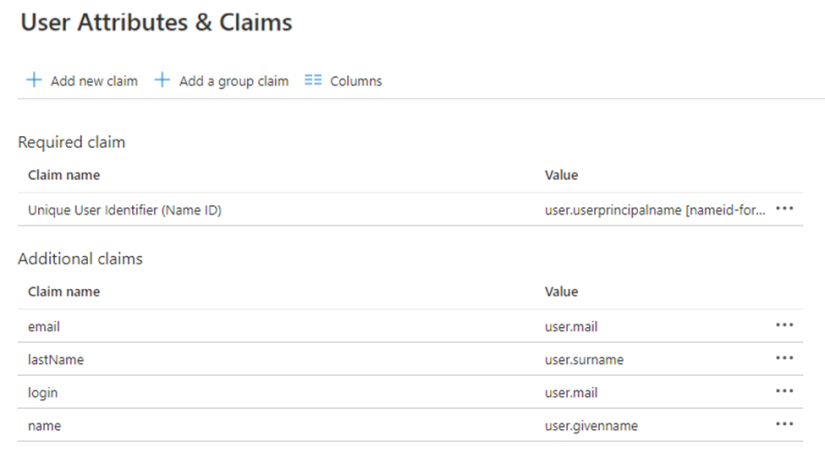
When you configure Azure on the Azure website, use the following:
-
Entity ID: <host>/webcm
-
Reply URL (Assertion Consumer Service URL): <host>/authorization-code/callback/webcm
as shown in the images below.
Configuration of Azure AD SAML for the New UI
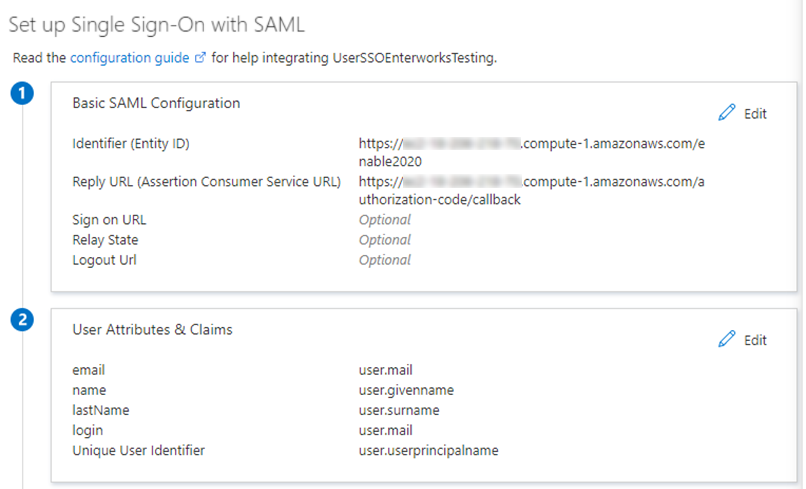
When you configure Azure on the Azure website, use the following:
-
Entity ID: <host>/enable2020
-
Reply URL (Assertion Consumer Service URL): <host>/authorization-code/callback
as shown in the images below.

Copyright 2007, 2023 Precisely