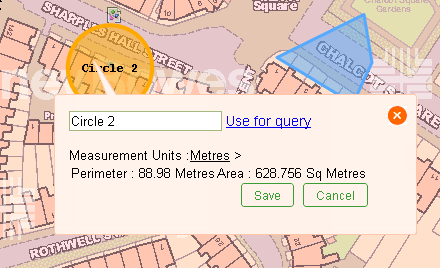
To select an existing annotation to see or modify its properties, follow the steps given below:
-
From the toolbar, select the Select Annotation Feature
 .
.
- Move the mouse over the map. As you move, annotations that can be selected is highlighted in bold outline.
-
Click on the annotation to select it. The selected annotation will turn orange and a
dialog box will appear. It will display the annotations title and measurement.