| Doughnut chart |
A doughnut chart is displayed for each of the defined DQ
metric. The chart shows percentage score of the entity based
on the rules defined for the DQ metric. 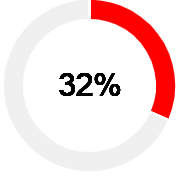 |
| KPI |
Lists all the defined DQ metrics. Note: To edit any of
the KPI parameters, click the respective link. You will
be navigated to the Edit
Scorecard page. |
| Rules |
Displays these details for each of the defined rules:
- Rule name: Displays the name
of the rule.
Note: Click the hyperlink to go to the
Edit Rule page, where you
can modify the rule configuration, as required.
See Editing a scorecard for
details.
- Rule Expression
- Valid Records: The number of
records found valid for the defined DQ metric and
rule.
- Total Records: The total
number of records in the data source
- Score: The percentage score
of the records in the selected entity
- Threshold: The threshold
value for the entity, based on the percentage score
defined for each category in the
Configure Scorecard
page.
Note: The Current
Score is displayed if the scorecard
has already been run at least once. The font color
of the score matches colors of the
Acceptable,
Marginal, and
Needs Attention as
defined.
|
