
Viewing and creating workflow associations
Note:
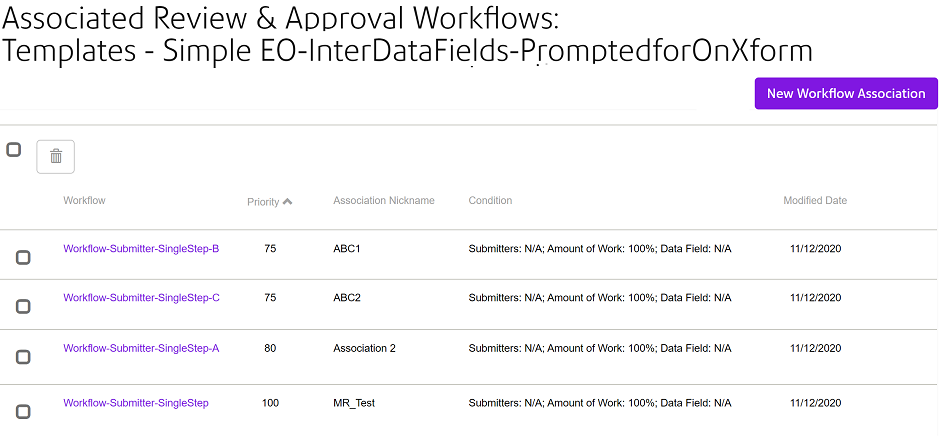
- Click on the workflow's name to edit the workflow.
- Click New Workflow Association to create a new workflow association. Refer to Associating a workflow to your template for further information.
- Select one or more workflows for deletion, you can:
- Select an individual workflow by clicking on the check box associated with the workflow row.
- Select multiple workflows by clicking on more than one workflow associated check box.
- Select all workflows by clicking on the check box adjacent to
the
 button.
- Workflows can be sorted in priority order.